

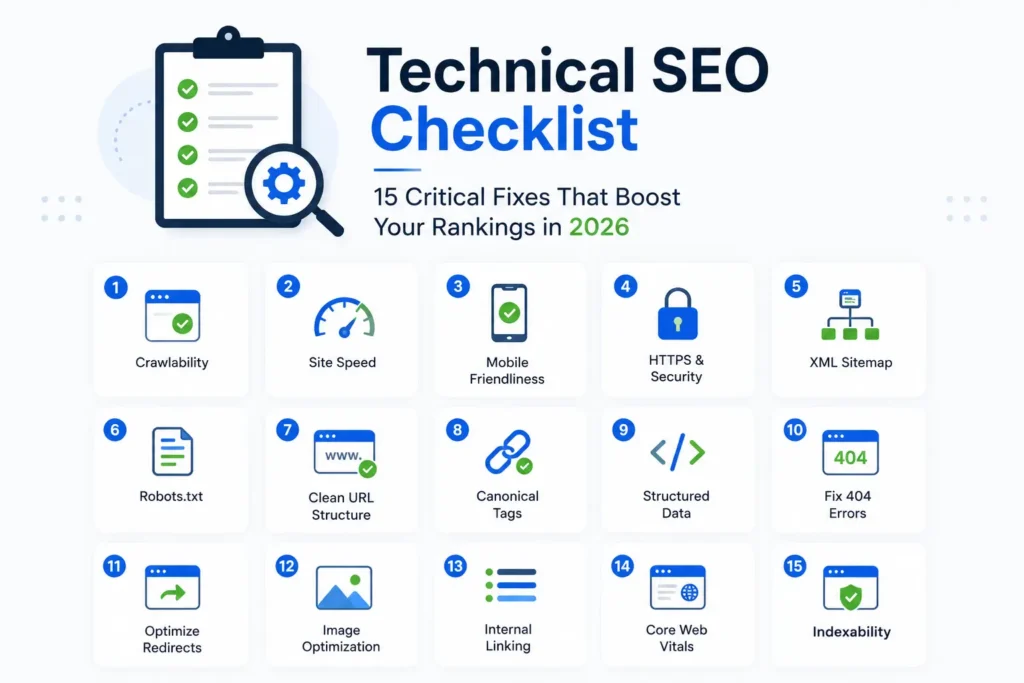
Technical SEO Checklist: 15 Critical Fixes That Boost Your Rankings in 2026
You can write the best content on the internet — but if Google can’t crawl, render, or trust your website, none of it matters. Technical SEO is the unglamorous foundation that determines whether your hard work actually gets seen. The good news: most technical SEO wins are one-time fixes that pay off for years.
Here’s a practical 15-point checklist you can run on any website in 2026.
1. Make Sure Your Site Is Indexable
Check Google Search Console to confirm your important pages are actually indexed. Missing indexing is one of the most common reasons sites fail to rank.
2. Fix Crawl Errors
Crawl errors — 404s, server errors, redirect loops — waste Google’s crawl budget. Tools like Screaming Frog and Search Console surface them quickly.
3. Submit a Clean XML Sitemap
Your sitemap should include only canonical, indexable URLs. Submit it inside Search Console.
4. Maintain a Solid robots.txt
Your robots.txt file should allow crawling of essential resources and block only what genuinely shouldn’t be indexed.
5. Use HTTPS Everywhere
HTTPS is a ranking signal and a baseline trust requirement. Mixed-content errors should be eliminated.
6. Optimise for Core Web Vitals
Google’s Core Web Vitals — LCP, INP, and CLS — directly influence rankings. Tools like PageSpeed Insights provide actionable diagnoses.
7. Improve Mobile Experience
The vast majority of search now happens on mobile. Responsive design, readable typography, and touch-friendly interactions are non-negotiable.
8. Implement Structured Data
Schema markup unlocks rich results — star ratings, FAQs, prices, breadcrumbs, and more. Google’s structured data documentation provides official guidance.
9. Fix Duplicate Content with Canonicals
Use canonical tags to clarify which version of a page is primary, especially across product variants and parameter URLs.
10. Use Clean, Descriptive URLs
URLs should be short, readable, and keyword-relevant. Avoid long parameter strings.
11. Optimise Internal Linking
Strong internal linking distributes authority and helps Google understand your hierarchy. Link from high-authority pages to important conversion pages.
12. Fix Broken Links
Broken internal and outbound links damage user experience and crawl efficiency. Audit them regularly.
13. Compress and Optimise Images
Large images are one of the biggest causes of slow pages. Use modern formats like WebP or AVIF and proper compression.
14. Secure Strong Hosting and CDN
Hosting quality directly affects speed and uptime. A strong CDN — like Cloudflare — significantly improves performance globally.
15. Monitor and Reaudit Quarterly
Technical SEO isn’t a one-time job. Quarterly reaudits catch new issues before they damage rankings.
This is exactly the framework we use during every website redesign and SEO optimisation project.
Frequently Asked Questions
Do I need a developer for technical SEO?
For some fixes, yes. Many can be handled inside your CMS.
How often should I audit?
Quarterly is ideal. After major site changes, immediately.
Which technical SEO issue impacts rankings the most?
Slow page speed and indexing issues, by far.
Final Thoughts
Technical SEO doesn’t always feel exciting — but it consistently delivers some of the largest ranking gains. If you’d like an expert audit, contact our team and we’ll review your site.